
Forum Replies Created
-
AuthorPosts
-
Shane Gowland
KeymasterThank you. Will update the .exe shortly.
KeymasterI believe only StartupManager.dll and SoftwareUninstaller.dll attempt to access the registry.
A better option would be to remove the unnecessarily strict security settings applied to the .NET Framework.
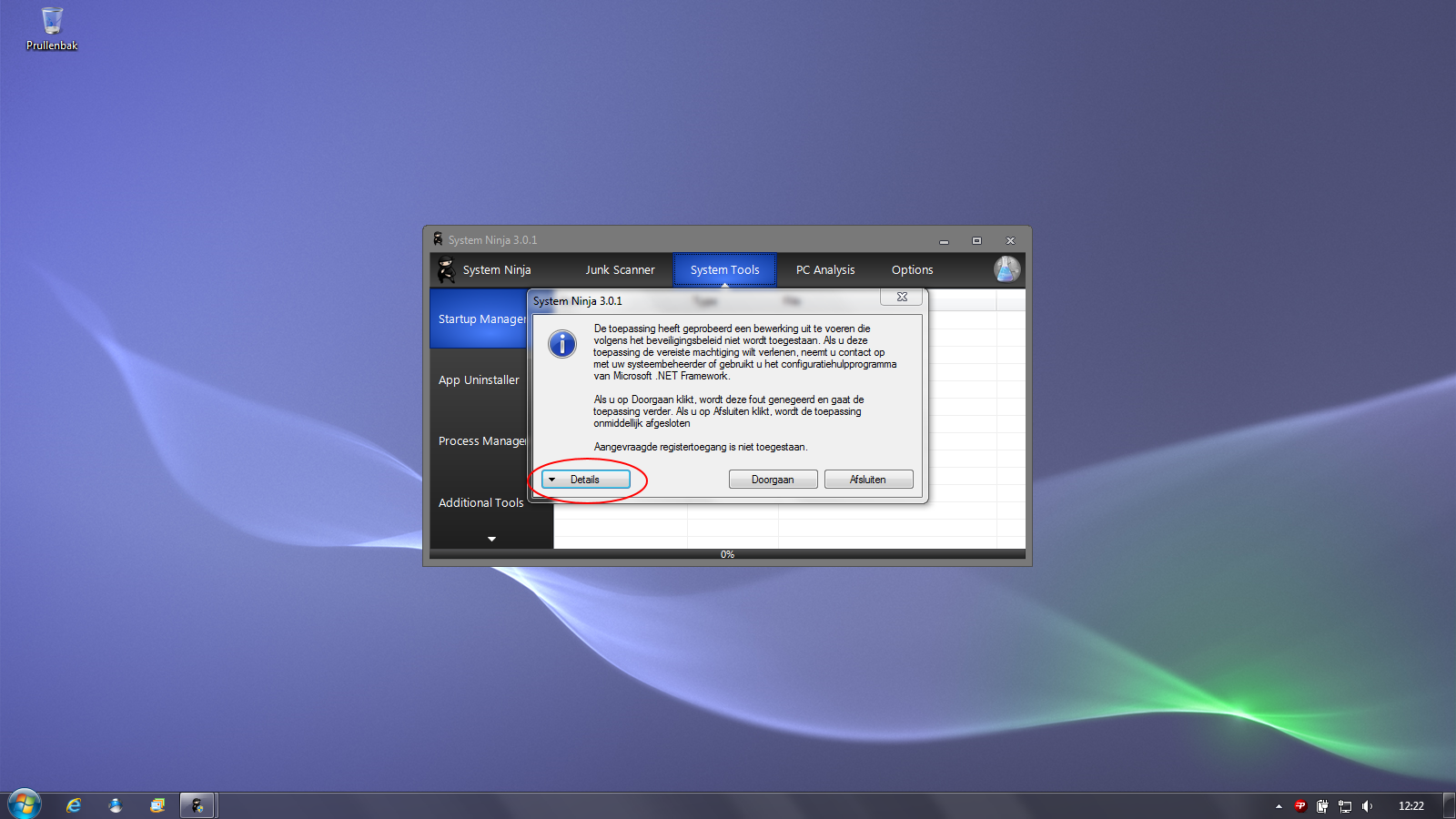
KeymasterYour computer is configured to disallow access to the Windows Registry. You either need to work out where this is set, or find a way to run System Ninja with elevated privileges. I’m not sure whether ‘Run As Administrator’ will be sufficient.
In the alternative, you can remove the offending tools by deleting their .DLL files in C:\Program Files\System Ninja\modules
KeymasterSee attached.
Attachments:
KeymasterCould you hit the “Details” button and upload the error report.
KeymasterI’m going to need you to provide more information.
– Operating System and .NET Framework version.
– Is it the entire ‘System Tools’ tab that isn’t showing? Or just the individual tools.
– Are there any error notices produced when you run in debug mode?If you can provide a screenshot of what you’re seeing, that would be helpful.
KeymasterCurrently you can’t add extra entries to System Ninja, as they will be overwritten with each update.
We suggest using the Option -> Include menu; as it allows for far more customization than writing winapp entries.
KeymasterAccording to this thread the issue can be resolved by re-installing the affected .NET Framework.
KeymasterDo you know which version of .NET JavaRa is attempting to load?
p.s. JavaRa 2.5 creates log:
Yup. That’s one of the errors that have been resolved in 2.6.
KeymasterSounds like an error in kernel.dll. What version(s) of the .NET framework do you have installed?
-
AuthorPosts